Blog › Privacy & local processing
How to repair a corrupted PDF (and when it's hopeless)
The attachment looks normal in the email list, and then the viewer announces that the file is damaged. The next instinct, encouraged by a page of search results selling recovery software, is to pay forty dollars to repair corrupted PDF bytes with some mystery suite. Resist it. Most files that get labeled corrupted are broken in one of three mundane ways, the first steps of a real repair cost nothing, and running an aggressive tool on your only copy can make things worse. This is the order that works, and it ends at a clear line past which nothing works.
What "corrupted" usually means
A PDF is a list of numbered objects (page descriptions, fonts, images) plus an index called the cross-reference table, which records the exact byte position of every object. Damage lands in one of three places.
A truncated download. The transfer stopped early and the file ends mid-object. This is the most common cause and the easiest to spot: compare the file size with the source. A 4.2 MB PDF that arrived as 3.8 MB is not broken, it is incomplete.
A broken cross-reference table. Every byte is present, but the index is wrong, damaged, or missing. This happens when a writer tool produced a sloppy file, or when something edited the bytes in place, or when a partial sync service spliced two states of the file together.
A bad transfer mode. An FTP server left in ASCII mode, or any step that rewrites line endings, converts each LF to CRLF and shifts every byte after the first newline. Because the index stores exact positions, a file that gains one byte per line ends up with an index in which every single entry points to the wrong place. The content is intact; every address is off by a little, which is as useless as being off by a lot.
Why a half-broken PDF opens at all
Here is the detail that explains most of what follows: a PDF is read backwards. The trailer and the cross-reference table live at the end of the file. A reader starts there, follows one pointer back to the index, and looks up every object from it. The format is organized like a book, with the index in the back, which was a sensible choice in 1993 for files read sequentially off a tape or a modem.
That design has a consequence people find counterintuitive. A file cut off at 90% still opens its first pages, because the damage is at the end. The trailer and index are gone, but the objects for the early pages sit near the front of the file, untouched. What a viewer does then is fall back to reconstruction: scan the entire file for object markers (1 0 obj, 2 0 obj, and so on), rebuild the index from whatever it finds, and carry on as if nothing happened. Every serious viewer does this silently. So "the file opens" and "the file is damaged" are not opposites. Your viewer may already be repairing the file, for free, every single time you open it.
Repair tools work for the same reason the format tolerates abuse in the first place: redundancy. The spec allows incremental updates, where each save appends a new revision and its own cross-reference section to the end of the file (ISO 32000-1, section 7.5.6). A heavily edited file can carry several index generations. If the newest one is damaged, an older one often still describes a complete, valid version of the document. The recovery path is baked into the format.
The diagnosis ladder
Work down this list in order. Each step is cheaper than the one below it.
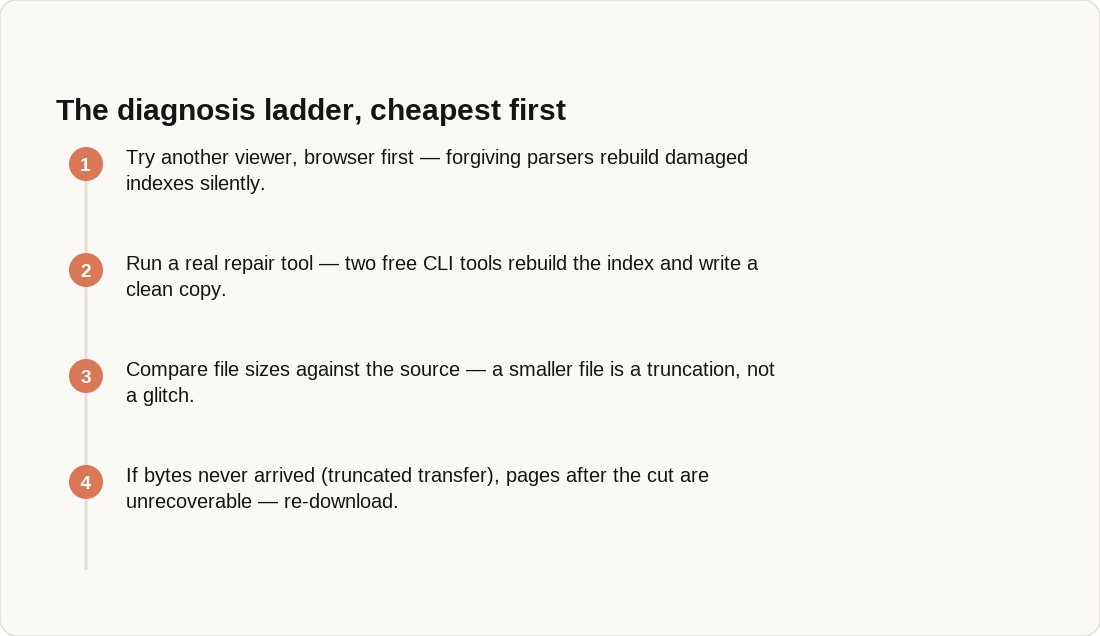
1. Try another viewer, browser first. Chrome and Firefox ship forgiving parsers that rebuild damaged indexes without mentioning it. Drag the file into a browser tab. If it opens there, the file is fine and your desktop viewer is merely strict, which ends a surprising number of "corrupted PDF" incidents on the spot. This is also why forum answers that just say "try another reader" are less useless than they sound; the reader is a diagnostic, not a workaround.
2. Run a real repair tool. Two free command-line tools rebuild the index and write out a clean copy:
qpdf --check damaged.pdf         # reports what is wrong
qpdf damaged.pdf repaired.pdf    # reads in recovery mode, writes a fresh file
mutool clean damaged.pdf repaired.pdf
qpdf enters recovery mode automatically when the index is missing or wrong (--recover forces it if you want to be sure), and its documentation describes exactly what recovery does. mutool clean, from the MuPDF project, parses the file as best it can and writes a rebuilt copy. If the damage is at the index level, one of these two commands fixes it, on your machine, with the bytes never leaving the room.
3. Re-download and compare sizes. If the source still exists, do not repair a truncated file: fetch it again and compare byte sizes with the original. Identical size means the transfer completed, so go back to step 2. Smaller means the file is incomplete, and no tool can invent the missing tail, though everything before the cut is usually salvageable (step 4). If some transfer middleman was involved, make sure it moves bytes untouched; ASCII mode and clipboard round-trips are how intact files acquire wrong indexes.
4. Salvage what opens into a new file. When a file opens partially, keep what works and abandon the rest. qpdf can copy a page range into a fresh document:
qpdf --empty --pages damaged.pdf 1-12 -- saved.pdf
Or work visually: open the file in whichever viewer shows the most, and pull out the pages that render. LivePDF's organize grid extracts surviving pages into a new file, and when a page renders but its text layer is a casualty, the pages-as-images route (extracting images) and text extraction both work on whatever a viewer can actually parse. A rebuilt file missing three pages beats a pristine file nobody can open.
When it is gone for good
A file truncated mid-transfer has a hard limit: pages after the cut are unrecoverable. Their bytes never arrived on your disk. No recovery tool, at any price, can read data that does not exist, and anything claiming otherwise is quietly extracting the pages that did survive while you assume the rest came along. The size comparison from step 3 is the real test. If the file is smaller than the source, set expectations by where the cut falls: content before the cut is usually recoverable, content after it is a re-download, not a repair.
What a browser editor does with a broken file
Since this is our area, the honest answer about LivePDF: it is not a repair tool, and it declines rather than guesses. On open, a damaged file gets one clear message ("This PDF could not be opened. It may be damaged or unsupported."), verified in the source at core/document.js. There is no silent attempt to rebuild a broken index and edit on top of the result, because an editor that half-opens a broken file then saves it has manufactured a new broken file that now looks official. For the same reason, a text edit that runs into a structure the editor cannot safely rewrite is refused outright ("This text uses a PDF structure that cannot yet be edited.") instead of saving output that renders differently somewhere else. And every edit is transactional: your original bytes are kept until the save succeeds, so a failed edit cannot turn the only copy into a worse copy, which is exactly the failure mode the recovery-suite instinct produces.
The division of labor, then: browsers and command-line tools for repair, the editor for after the file opens.
One habit prevents most of this. PDFs are binary, so move them through channels that do not rewrite bytes, and treat any "transfer complete" as a claim to verify against the source's file size. When a file refuses to open in one tool and opens in another, remember that PDF versions differ too: a viewer choking on a newer feature is reporting incompatibility, not corruption, which is one more reason the ladder starts with a second viewer and not with a credit card.
FAQ
Can a corrupted PDF be repaired?
Often, yes. If the bytes are all present and only the cross-reference index is damaged, any serious viewer rebuilds the index silently, and qpdf or mutool can write a clean copy. If the file was truncated by an interrupted download, everything before the cut is usually salvageable and everything after it is gone.
Why does a PDF open in Chrome but not in my desktop viewer?
Viewers differ in how stubbornly they insist on a valid cross-reference table. Browsers rebuild a damaged index without telling you; some desktop viewers report the damage instead. Opening the file in a browser tab is the fastest way to tell a picky viewer from a genuinely broken file.
How do I recover pages from a truncated PDF?
Open the file in the most forgiving viewer you have (a browser, or mutool), see which pages render, and copy them into a new document with qpdf --pages or an organize-pages tool. Pages after the truncation point cannot be recovered because their bytes never reached your disk; re-download the source instead.