Why You Can't Just Change the Font in a PDF
Everyone eventually asks the same question: how hard can it be to change font in PDF files? The text is right there. You select it, you open a font menu, and then either the font you want isn't listed, the new text comes out in something else entirely, or the editor refuses to touch the line at all.
The blocker isn't your software. It's what the file actually contains: the font you want is often not in the file at all, and the font the text already uses is only partially there. What "font" means inside a PDF is stranger than most people expect.
A font is not a property of the text
In a PDF, a font is not an attribute of your text. It is a resource the page borrows.
In a Word document, "this paragraph is in Calibri" is stored as a property of those characters. A PDF page stores none of that. The page is a list of painting instructions, and the font shows up as a brief instruction to switch tools: "use font F7 now, draw these glyph shapes at these positions." The definition of F7 lives somewhere else entirely, in a separate object inside the file, the way a wrench lives in a toolbox rather than inside the bolt it turns. The formal model is defined in the ISO 32000-1 spec (chapter 9 covers text and fonts), but you never need to read it to feel the consequence: when you ask to change the font of a sentence, you are not editing a property. You are swapping the tool the page borrows mid-instruction.
That framing explains everything else, including the file-size motive behind subsetting.
Embedded subsets: the borrow-only-what-we-use list
Fonts used to be enormous relative to documents, so PDF writers normally embed only what the page borrows. An embedded subset contains just the glyphs the document actually used, give or take a few. Subsets announce themselves in font listings with a six-letter prefix, like ELM+Arial,Bold, which says "not the whole font, a private slice of it."
Subsetting is not stinginess for its own sake. A full CJK font carries tens of thousands of glyphs, and some fonts can't legally be embedded in full at all. The trade-off is spelled out plainly in Datalogics' knowledge base: if you embed a subset, any text added to the document later is limited to the characters available in that subset.
Consider a report set in some corporate typeface that happens to contain the word "Finished". The embedded subset holds F, i, n, s, h, e, d and whatever else appears in the document, and nothing else. The letter "y" may simply not exist in that file. Not "is the wrong shape" — does not exist. No drawing instruction for it is anywhere inside the document.
What happens when you edit anyway
You open the file, click into a line, and type "Yearly". The subset has no "y", no "Y", maybe no "r". The editor has two options: draw nothing, or borrow a different font that does have the glyphs. Every editor that doesn't want to print empty boxes borrows, which is why the new characters appear in a substitute font while the untouched words around them stay in the original. The classic complaint "I fixed one typo and now half the word looks different" is this mechanism, not a bug. The same forces are covered step by step in how to edit text in a PDF.
There's a second, sneakier subset problem that has nothing to do with appearance: copying. Inside a subset, character codes are often reassigned to glyph IDs in a private order, and the only bridge back to real letters is an optional table in the font dictionary called ToUnicode. When that table is missing or damaged, the page looks perfect and copy-paste produces garbage like 10a61a91a22a. The long-standing Stack Overflow thread on pasting garbage from PDFs is the best field guide to this failure mode.
How to check a file's fonts
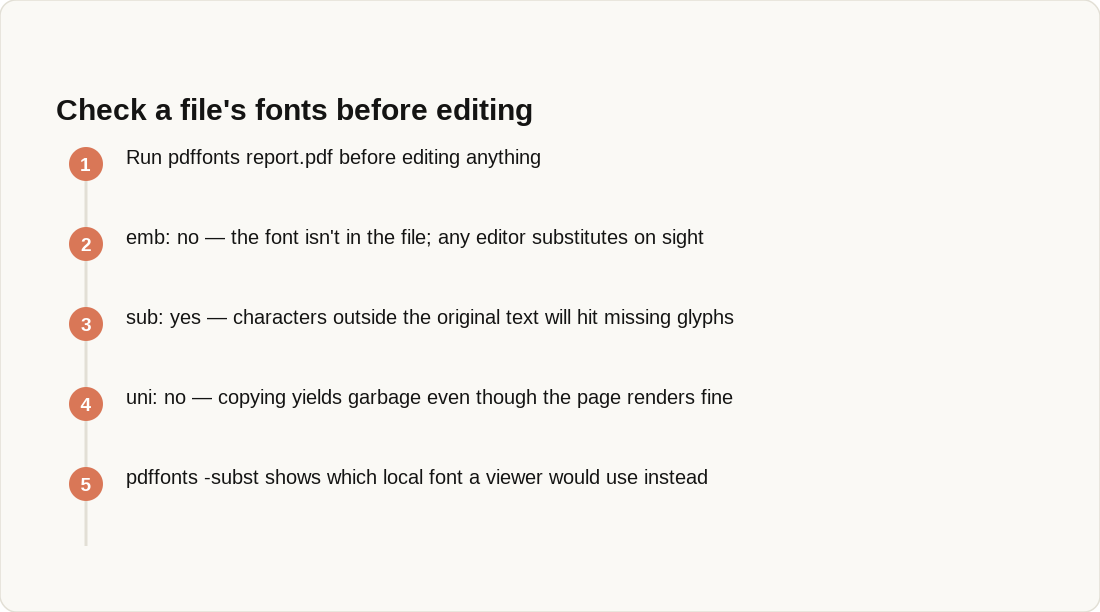
Before editing anything, look at what the file actually has. If you have poppler-utils installed, run:
pdffonts report.pdf
Output is one row per font with columns worth memorizing:
- emb — is the font embedded in the file at all? If
no, the document only works on machines that happen to have the font installed, and any editor will substitute on sight. - sub — is it a subset? If
yes, adding characters outside the original text will hit missing glyphs. Names with theXXXXXX+prefix are subsets. - uni — is there a ToUnicode map? If
no, expect garbage when copying or extracting text, even though the page renders beautifully.
pdffonts -subst report.pdf goes further and shows which local font a viewer would substitute for each non-embedded one. In Acrobat, the equivalent is File > Properties > Fonts, which tags each entry "(Embedded Subset)". If the font of the text you want to change shows sub: yes, you know why the font menu misbehaves.
What LivePDF does about it
LivePDF picks a fixed substitute: when you edit or insert text, the new text is set in Noto Sans (regular, bold, italic, and bold-italic faces). That's deliberate, and verified in the editor's code: the original subset can't cover arbitrary new characters, so the editor sets edited text in a known font with full coverage instead of producing missing-glyph boxes or silently mismatched letterforms. What you get is predictable, and it looks the same for whoever opens the file later, because the substitute gets embedded on save. The trade-off is real: your edited line will not be in the original typeface, because that typeface, in the file you have, is incomplete. General editing mechanics, including how adjacent fragments are kept together, are covered in the editing guide.
Three practical routes
1. Accept the substitute. If the change is small (a date, a corrected figure, one sentence), the mixed appearance is often fine, especially in body text at 10-11pt where typeface differences are subtle. One refinement: replace the entire paragraph rather than individual words. A whole paragraph set in the substitute looks like a style choice; one word set differently looks like an error.
2. Re-create the text run in one font. For short runs (a heading, a callout), delete the original text and retype the whole run, so every character, old and new, comes from the same font. Adding a fresh text box and retyping gives you full control; the specifics are in adding text to a PDF. You lose the original typeface for that run but gain consistency, which reads as more deliberate than a patchwork.
3. Convert and rebuild. If you're changing fonts everywhere, restyling a document, or the file has many subset fragments from repeated edits, editing in place fights the format. Export to Word, restyle there where fonts are properties of text, and re-export to PDF. When to choose this route is exactly what PDF vs Word covers: local fixes belong in an editor, structural changes belong in a word processor.
When the font actually matters
Font fidelity is a spectrum, and it's worth deciding where your document sits before spending an hour on it.
It matters for anything a brand stands behind: client proposals, letterheads, pitch decks, published reports. If a client has seen your documents in a specific typeface ten times, the eleventh in a substitute registers as sloppy even if they can't name why. Legal documents add a wrinkle: a contract where one clause looks different from the rest invites the question of what else changed.
It doesn't matter for internal drafts, meeting notes, working files, anything with a review cycle. If the document's job is to convey information to people who know you, nobody is grading the typeface. Spend the five minutes on the fix and the two minutes picking a well-matched substitute, not the hour trying to resurrect a typeface the file never fully contained.
The deeper takeaway is the reframing: stop thinking "change the font of my text" and start thinking "swap which font resource this page borrows." Once you see subsets as borrow-only-what-we-use lists, PDF font behavior becomes predictable: the page can only draw what it borrowed, and it borrowed as little as possible.
Frequently asked questions
FAQ
Can I change the font of text in a PDF?
Only if the font the text uses is actually in the file and complete. Most PDFs embed subset fonts containing just the glyphs the document already used, so anything you type beyond that gets set in a substitute font. You can accept the substitute, replace the whole text run in one font, or convert the document and rebuild it.
How do I see which fonts a PDF uses?
Run pdffonts file.pdf (part of poppler-utils) and read the emb, sub, and uni columns: whether the font is embedded, whether it is a subset, and whether text can be mapped back to Unicode. In Acrobat, File > Properties > Fonts shows the same list with an (Embedded Subset) tag.
Why does my text paste out of a PDF as garbage characters?
The font is probably a subset with a missing or broken ToUnicode table, which is the PDF's map from character codes back to real letters. The page renders fine because the glyphs are drawn directly, but copying has nothing to translate with. The pdffonts uni column flags this.